

Cursor AI – AI Coding Assistant for Faster Development
Cursor AI is an AI-driven coding assistant designed to help developers write, refactor, and understand code faster by delivering contextual suggestions, explanations, and code completions directly in your workflow.
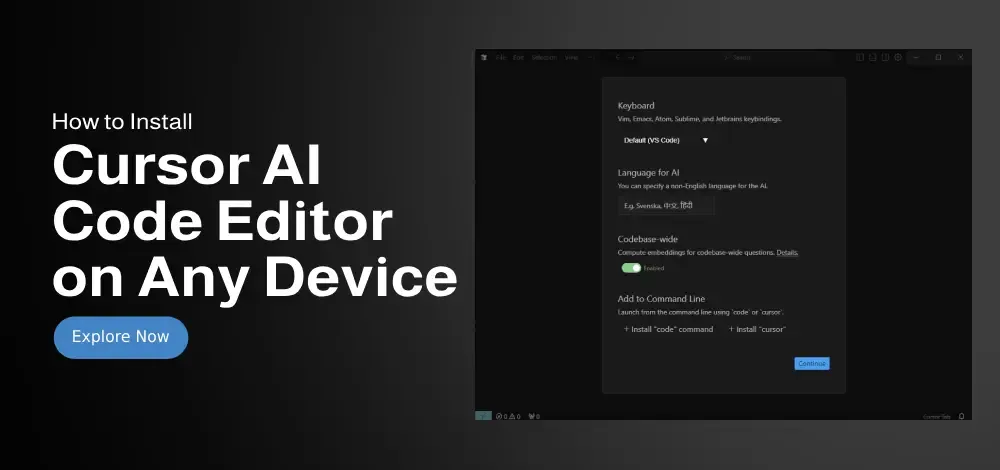
What is Cursor AI?
Cursor AI is a productivity tool for programmers that integrates AI directly into the development environment, allowing developers to generate code, fix bugs, write tests, and explore large codebases using natural language prompts. Built for teams and individual coders alike, Cursor combines language understanding with deep code awareness to accelerate software development.
Instead of manually searching through documentation or trial and error, developers can interact with Cursor through prompts or code context to get precise solutions — saving time and reducing cognitive overhead.
Key Features
- Code generation with natural language prompts
- Smart autocomplete and context-aware suggestions
- Bug explanation, debugging hints, and test generation
- Integration with VS Code and popular IDEs
- Support for multiple programming languages
- Codebase exploration with natural language search
- Refactoring recommendations and style improvements
- Documentation summarization and navigation help
Pros & Cons
Pros:
- Accelerates development and reduces repetitive coding
- Improves code understanding and documentation lookups
- Works well across major languages (Python, JavaScript, Go, etc.)
- Intuitive natural language assistance
- Helps junior and senior developers equally
Cons:
- Some advanced features require subscription
- Occasional need for manual review of generated code
- IDE integration may vary slightly between environments
- Performance depends on prompt quality
Who Should Use Cursor AI?
Cursor AI is ideal for:
- Software developers and engineers
- DevOps and automation specialists
- Tech startups and product teams
- Students learning programming
- QA engineers writing tests
- Anyone building software or working with code
Top Alternatives
- GitHub Copilot – AI code assistant by Microsoft & GitHub
- ChatGPT – AI writing and code generation
- Amazon CodeWhisperer – Context-aware coding support
- Tabnine – AI auto-completion for code editors
- Replit Ghostwriter – AI coding built into Replit
Frequently Asked Questions
Q: Is Cursor AI free to use?
Cursor AI offers a limited free tier, with advanced capabilities available through paid plans.
Q: Can Cursor AI generate tests for code?
Yes. Cursor AI can recommend and generate test templates for supported languages.
Q: Which editors work with Cursor AI?
Cursor AI integrates with VS Code and compatible IDE extensions.
Q: Can Cursor AI debug code?
Cursor AI provides debugging guidance, error insights, and step-by-step explanations.
Q: Does Cursor AI support multiple languages?
Yes. It supports many popular programming languages, but availability depends on your plan.
More Info & Popular Questions
Who Created Cursor AI?
Cursor AI was developed by a team of developers and AI engineers focused on improving developer productivity with contextual AI.
When Was Cursor AI Launched?
Cursor AI launched in 2023 as a modern AI coding assistant designed to rethink how developers interact with code.
How Many Users Does Cursor AI Have?
Cursor AI has attracted thousands of developers worldwide, especially among teams and open-source communities.
Is Cursor AI Suitable for Beginners?
Yes. Cursor AI works for both novice and experienced developers, helping beginners learn patterns and best practices.
Does Cursor AI Offer a Browser Version?
Cursor AI primarily integrates with IDE editors, with browser support on roadmap for some features.
What Makes Cursor AI Unique?
Cursor AI stands out for its natural language code exploration, inline guidance, and deep codebase awareness — going beyond simple autocomplete.
Final Verdict
Cursor AI is a powerful and intuitive coding assistant that supports developers with context-aware suggestions, code generation, and debugging support. Whether you’re prototyping features, fixing complex bugs, or exploring a large codebase, Cursor AI offers reliable support that boosts speed and confidence in your development workflow.
👉 Try Cursor AI → https://www.cursor.so